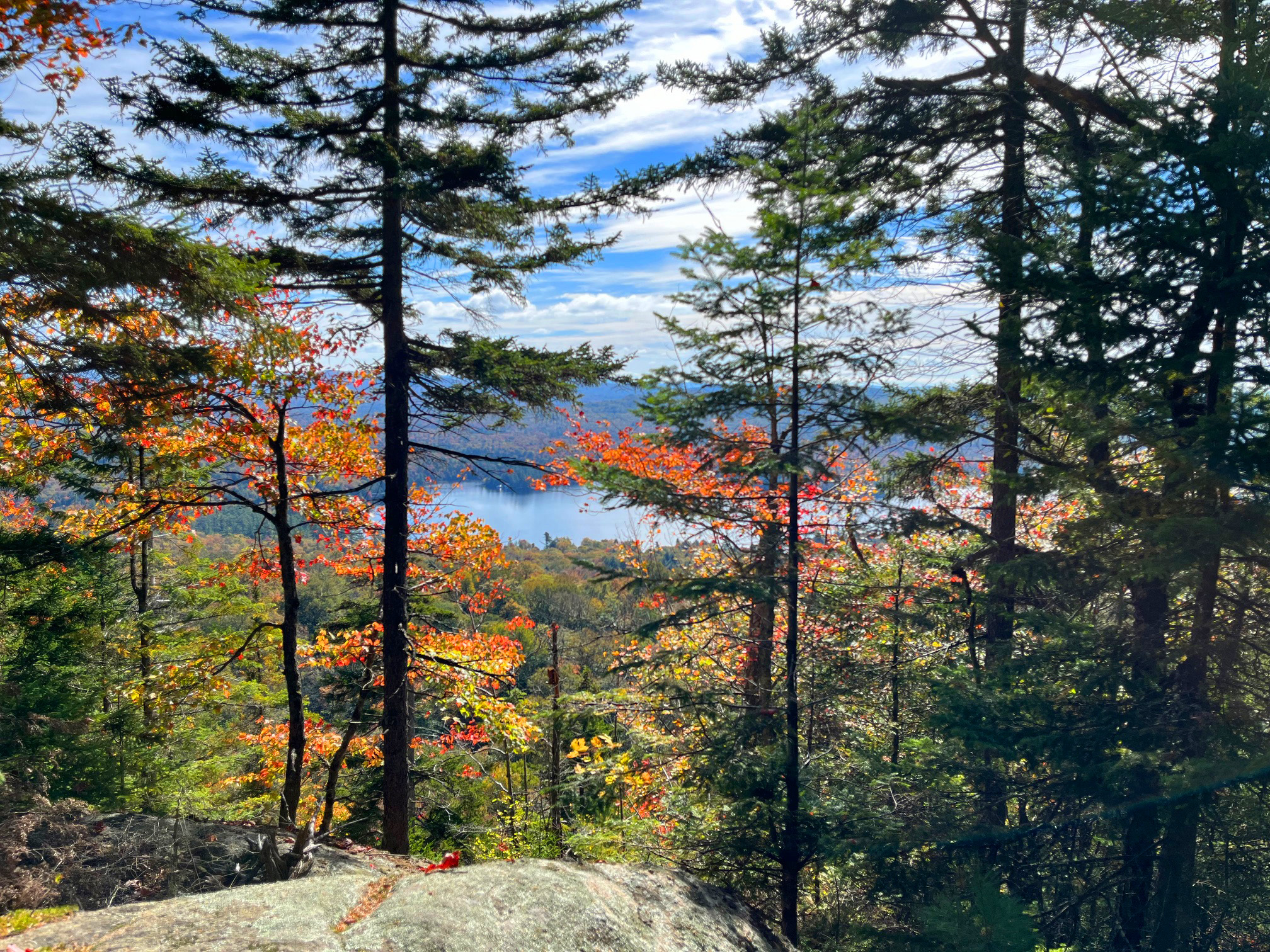
The Inspiration: I took this photo on a mountain hike with Bob. It would be the basis for a new block print design.
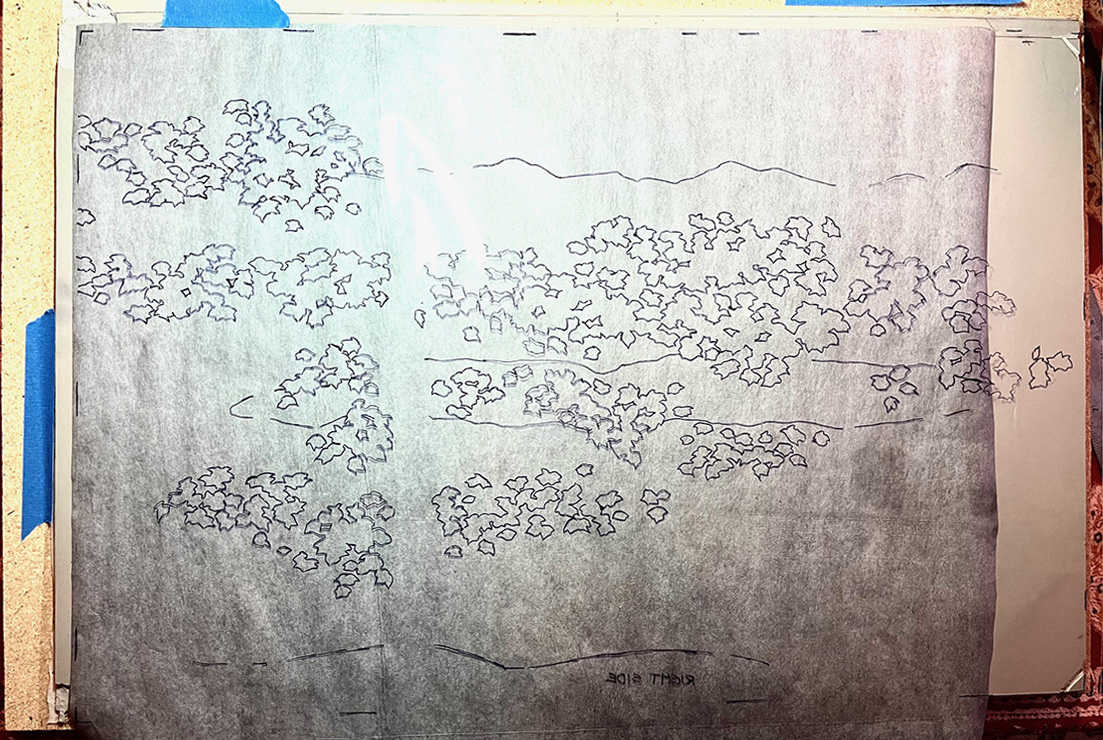
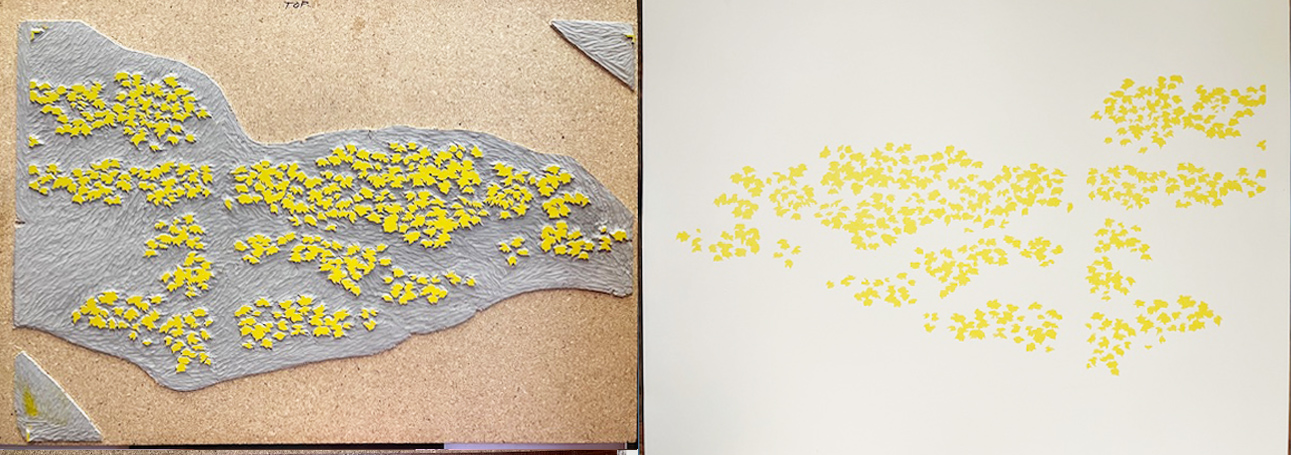
I’ll print the autumn leaves first. Each carving starts with a Sharpie drawing on clear acetate, face down, with carbon paper under it, for transferring the drawing to the mounted linoleum.
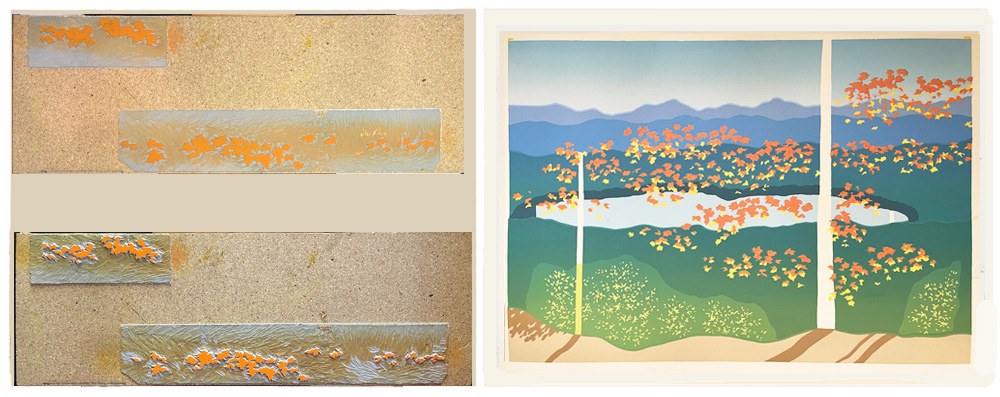
Below is the first carving, all inked up on the press, and one of the 150 prints I made with it.
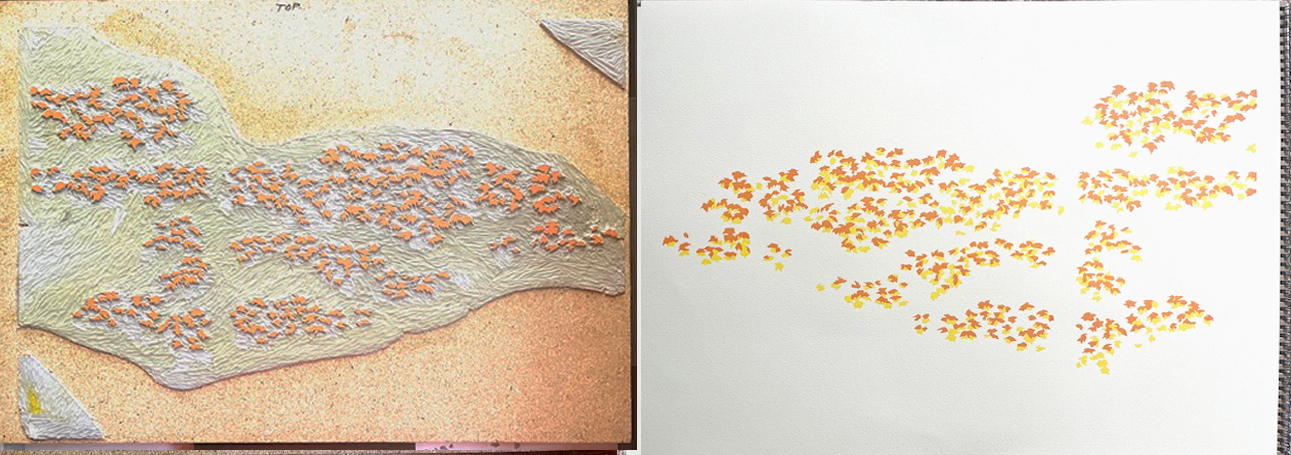
Then I cut off all the leaf shapes that I want to stay yellow, and print red-orange. But then I decide I want more orange leaves. So I do another carving and print additional leaves.
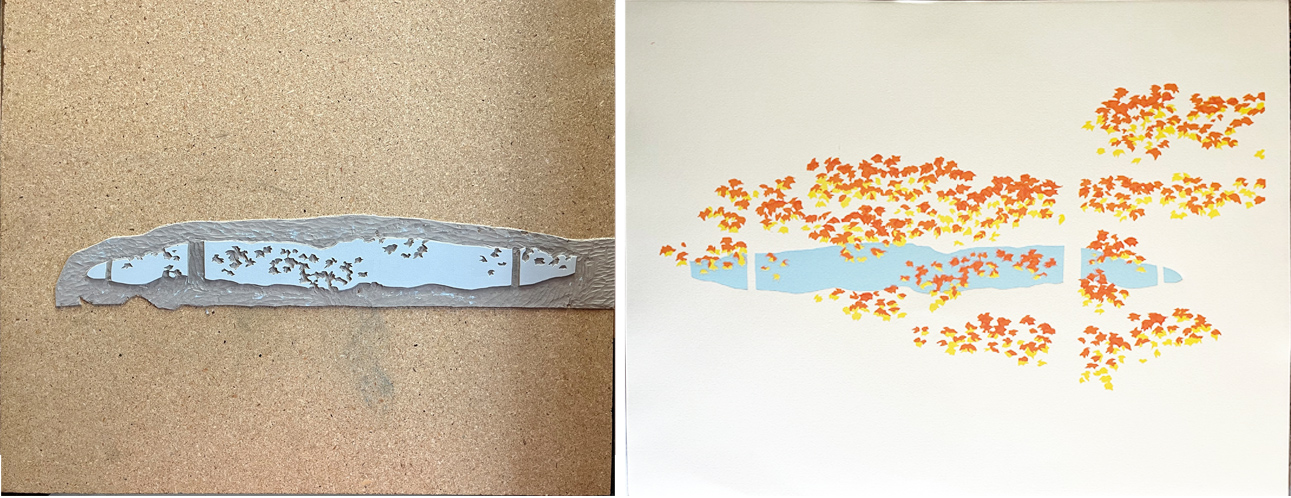
Next comes the crazy part: doing carvings for the background with precisely shaped holes, into which those leaves must fit!
I do a carving for the lake, which will be printed light blue and hopefully opaque enough to cover any leaf edges that threaten to show through.
I run each print through the press twice to get heavier ink coverage. In the end, the leaf edges still faintly show through the blue. Dang. I can troubleshoot that later.
On to the carving for the sky. This time I decide to hand-ink the carving for each print, instead of letting the press do it. This is a MUCH more time-consuming process, but it does make for a thicker layer of blue ink.
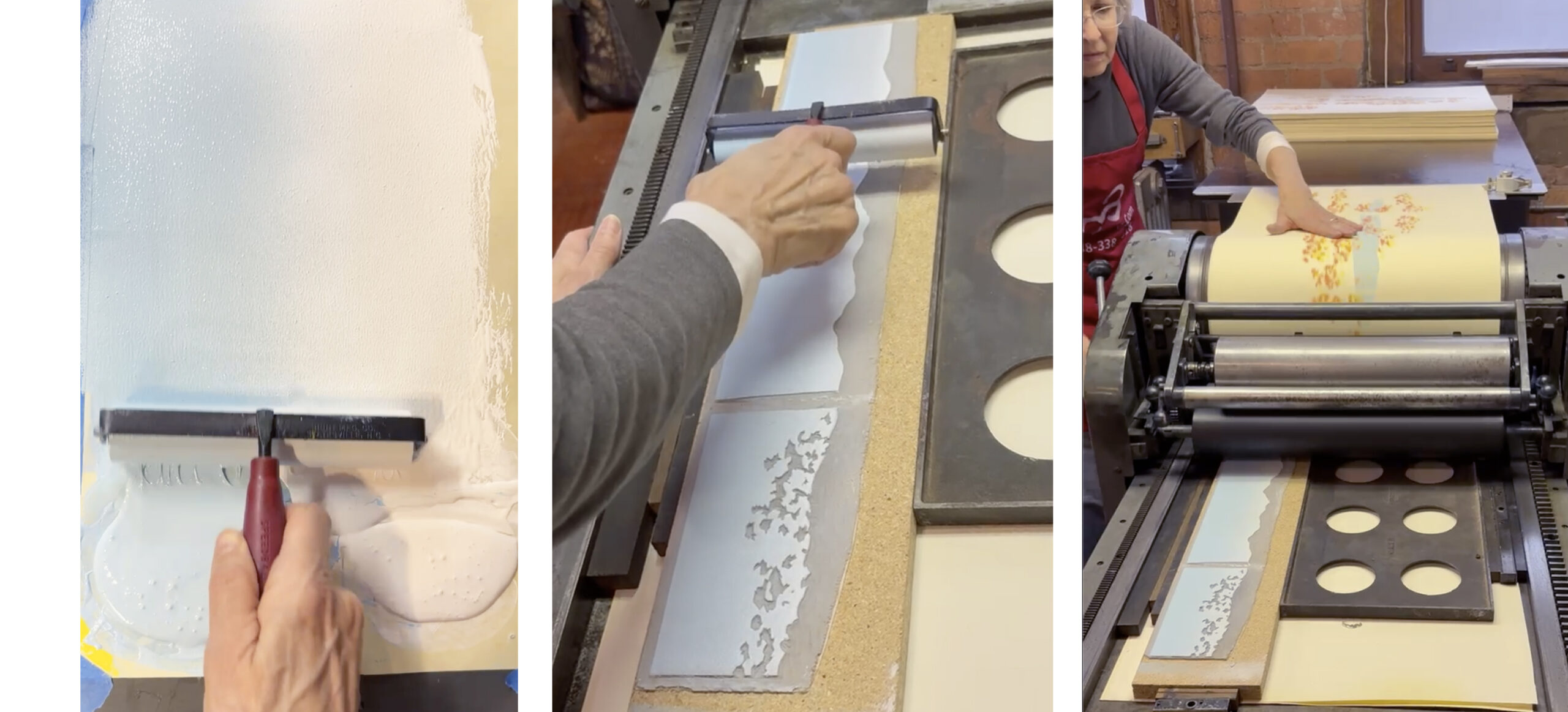
I want the sky to fade to a lighter blue near the horizon, so I need to create a gradient on my inking brayer by blending the light blue with white. I hand-roll the ink onto the carving and then print.
Some leaf edges STILL show through in the sky, as well as the lake. Rats. Let that go for now, and see if it still bugs me later. Next: mountains!
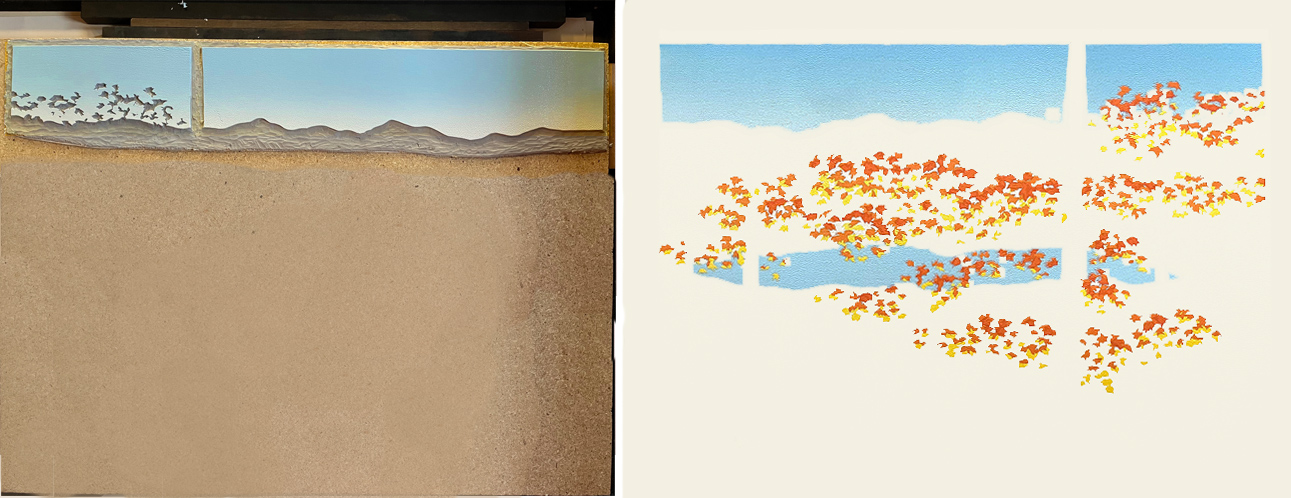
Below is the carving and the print with the mountains. Yahoo, the holes fit perfectly over the leaves!
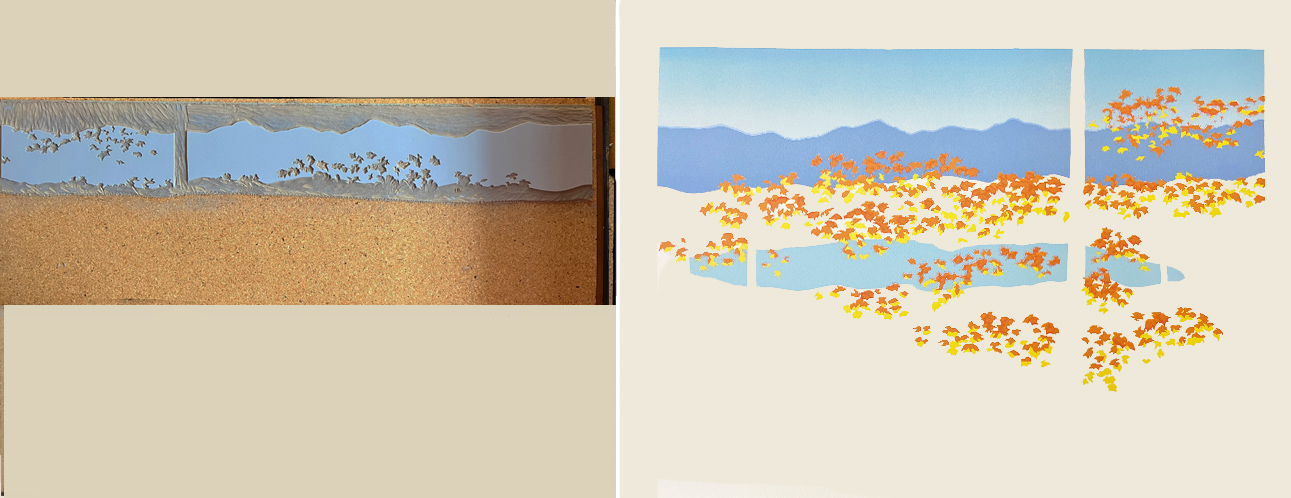
Next comes a layer of mountains in a stronger, less purple blue.
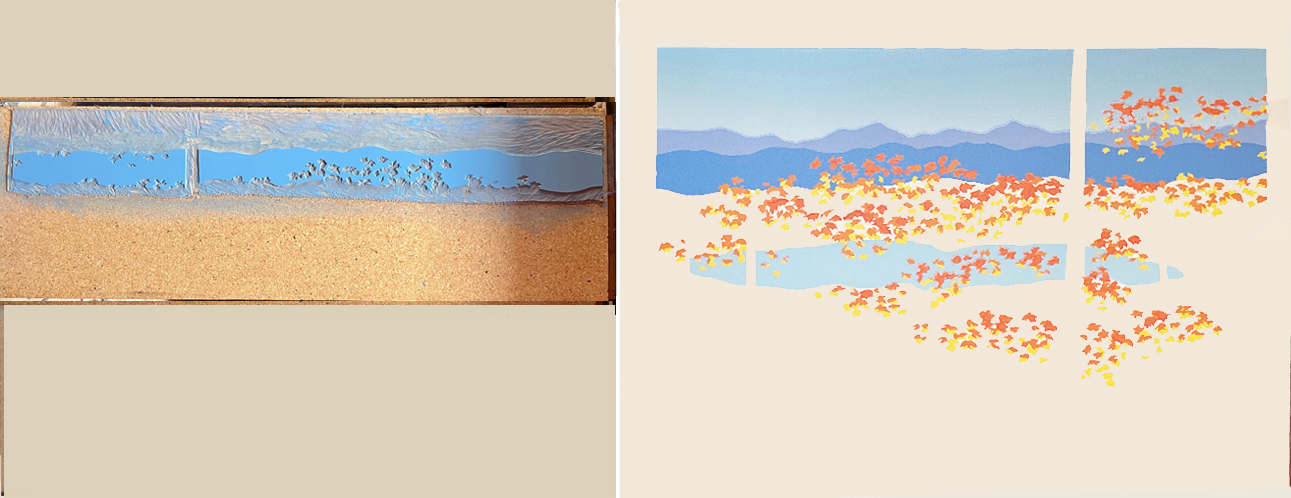
The next carving will print the nearest layer of mountains, plus the forest around the upper part of the lake, in greenish blue.
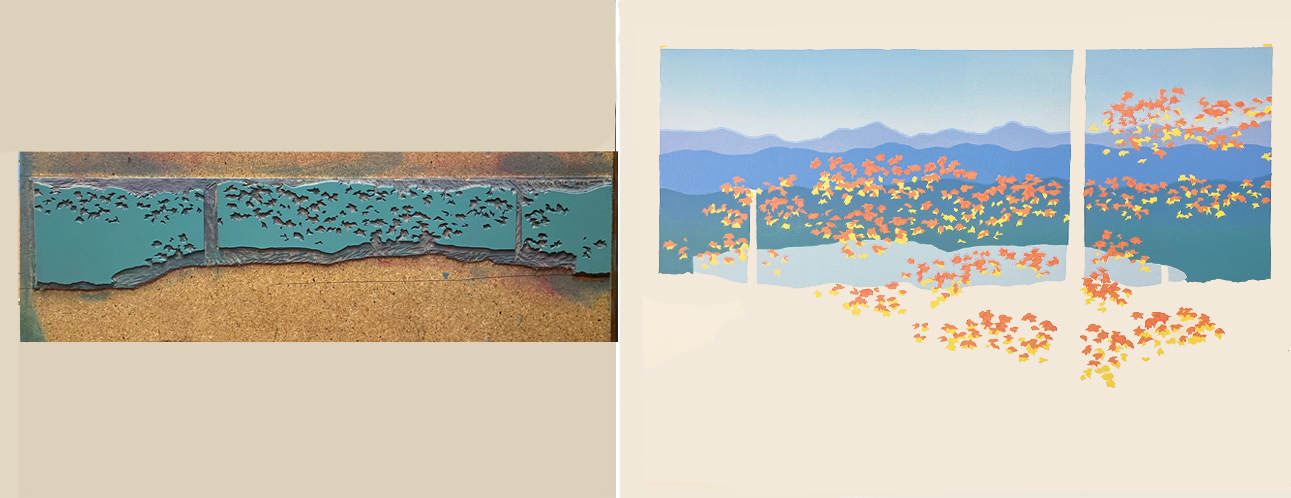
To finish the mountains, I cut away all but a thin strip, to print a darker, shadowed area along the upper edge of the lake.
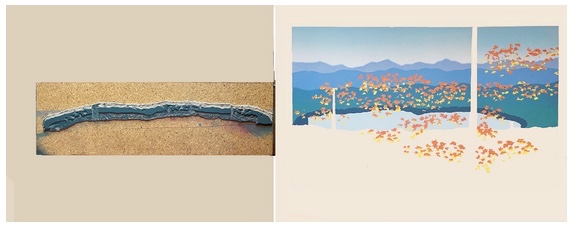
The foreground gets a rock/hard-packed earth color.
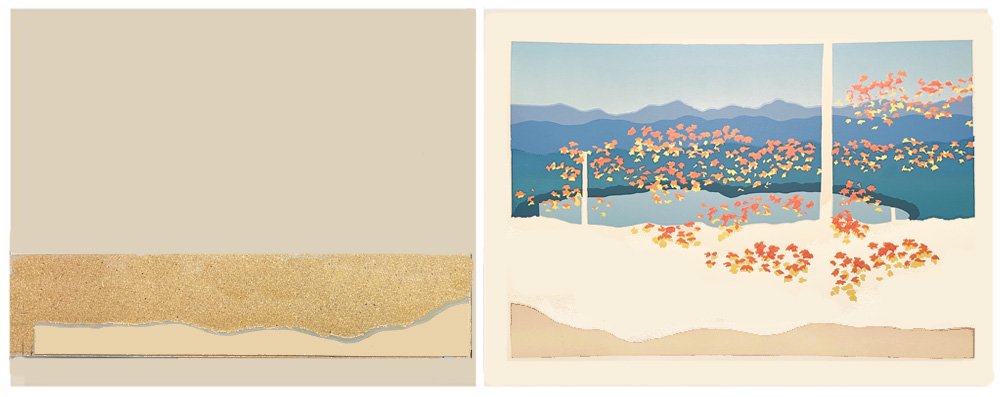
Adding shadows for the as yet invisible foreground trees.

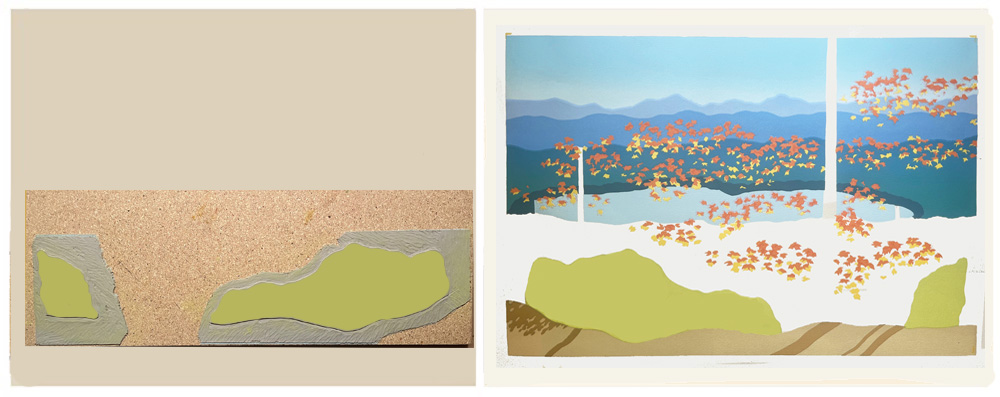
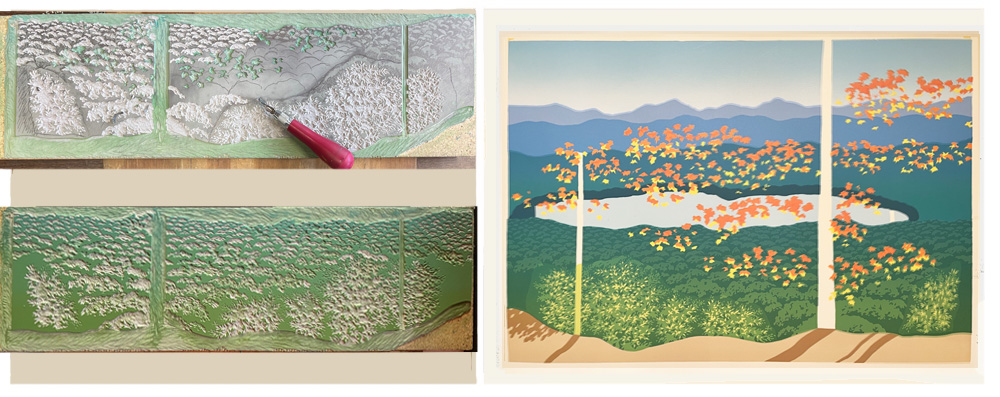
Blobs to provide color for shrubs and greenery.
I then create a gradient for the foreground, mixing two different greens with the press rollers.
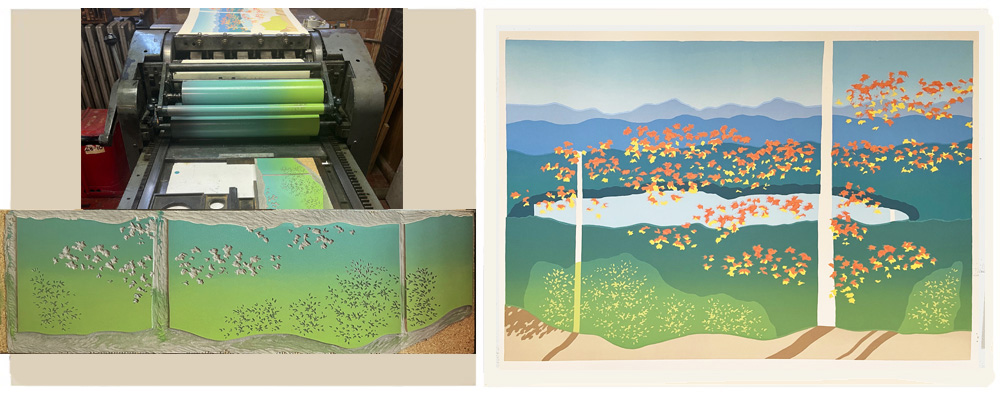
Yikes. I didn’t expect those green blob edges to show through so much! Hope I can make them recede with a future printing…
But first, I want to re-print those leaves over the sky and lake. Arg, I tossed the original leaf carving. Gotta carve new leaves to match the old.
The next carving of background tree shadows does a good job of covering those green blobs underneath. Yay!
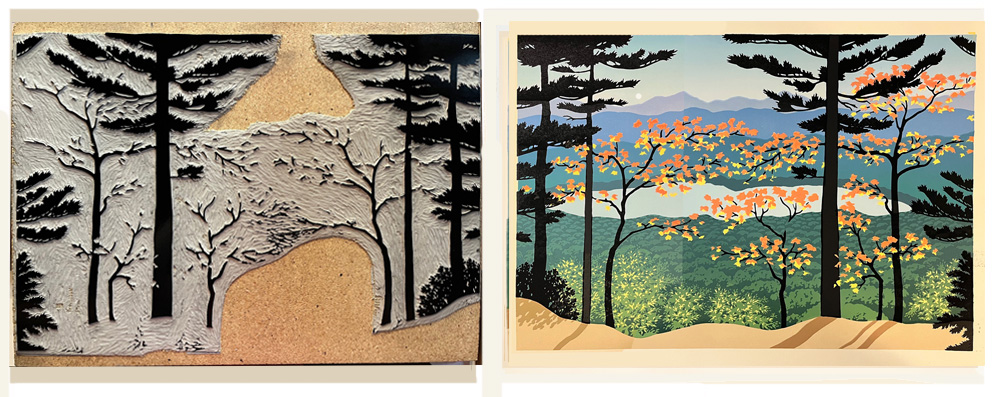
Finally we have foreground trees. Looking good!
But wait a sec… Upon closer inspection, I spot a goofy mistake. Can you see it?
Hint: a piece of something is missing!
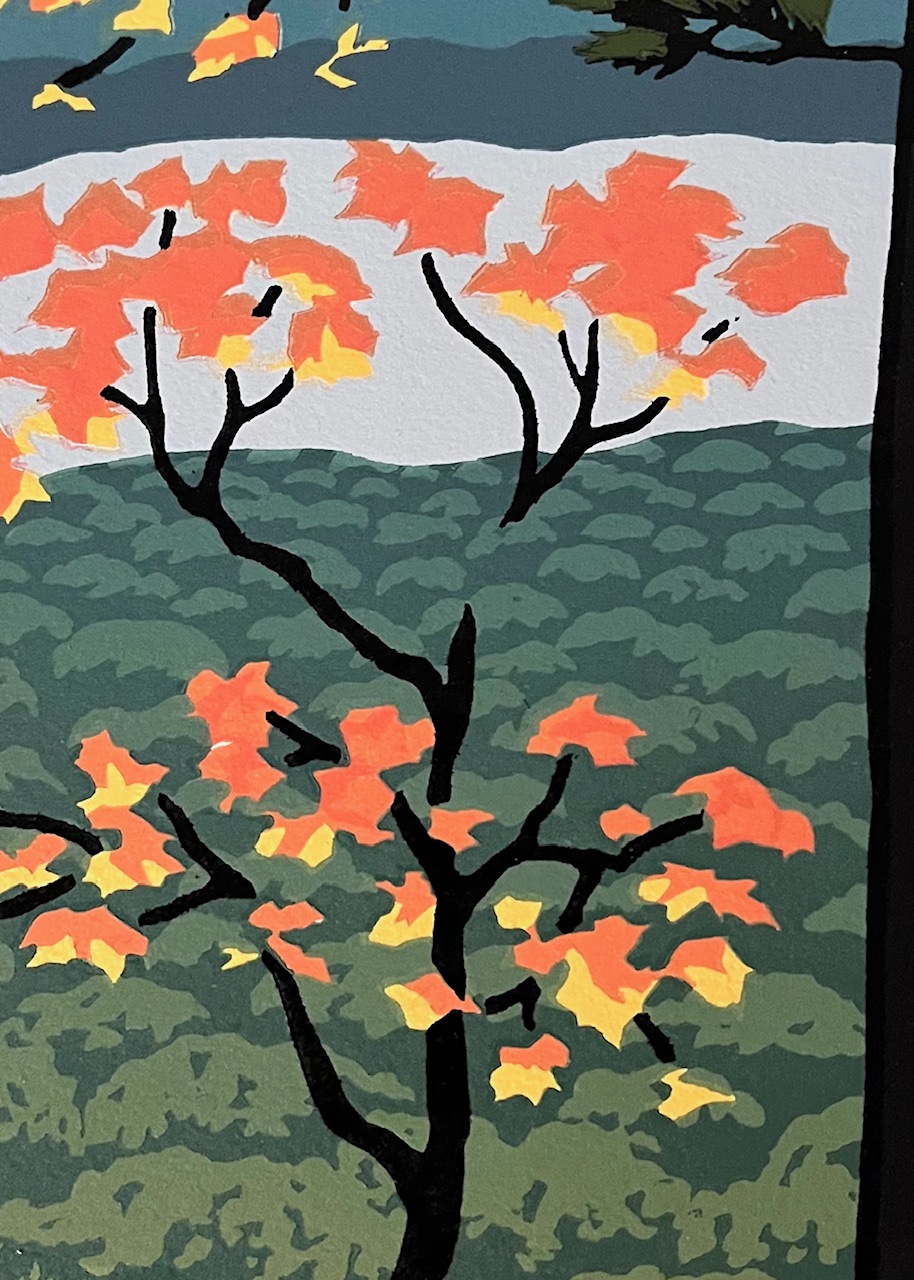
Ugh. Welp, I guess I’ll be hand-painting that missing piece on every print. But first, there’s one more printing to do.
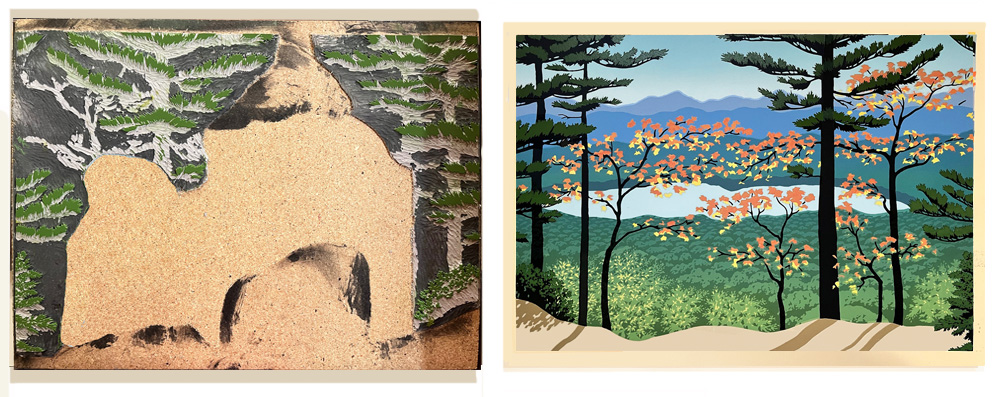
Using the same block that printed black, I carve out the shapes that should remain black and print the evergreen foliage. Ta-da! The final edition size is 105.
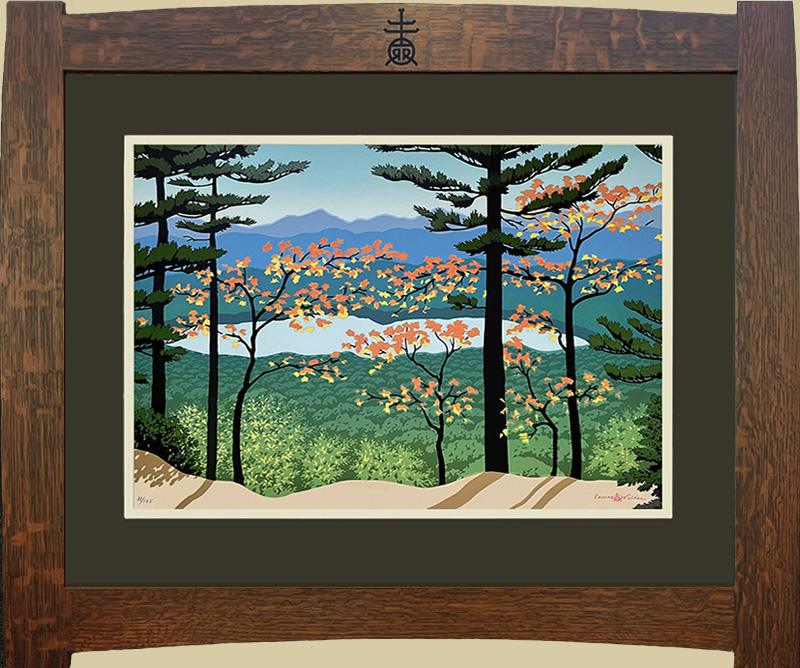
Here is Mountain View (after the missing bit is painted in) in a spectacular Roycroft Renaissance frame by Thomas Pafk.